Instructional Design & Online Course Support

University of Wisconsin

  • Home
  • Contributors
  • Course Design
  • Online Teaching
  • Tools & Technology
  • Policies & Procedures

Inserting Kaltura Videos into Canvas

Posted: May 13, 2019 | Last Modified: January 25, 2024

RCE toolbar with an arrow pointing to the Kaltura icon.

Use this guide after installing Capture to your computer (Click here to read about how to install Capture) and creating your first video (Click here to read about how to … [Read more...]

Filed Under: Tools & Technology Tagged With: Instructor, Instructor Presence, Kaltura, Kaltura Capture, Multimedia, Social Presence

Using Kaltura Capture

Posted: April 29, 2019 | Last Modified: January 25, 2024

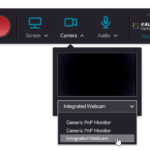
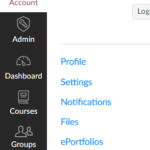
Use this guide after installing Capture to your computer. Click here to read about how to install Capture. Launching Capture Log into Canvas. Click Account on … [Read more...]

Filed Under: Tools & Technology Tagged With: Instructor, Instructor Presence, Kaltura, Kaltura Capture, Multimedia

Kaltura Capture Installation

Posted: April 29, 2019 | Last Modified: January 25, 2024

What is it? Capture is the new video recording software that allows you to create screen and webcam recordings. You can use this software for presentations, video … [Read more...]

Filed Under: Tools & Technology Tagged With: Instructor, Instructor Presence, Kaltura, Kaltura Capture, Multimedia, Social Presence

Student Group Areas in Canvas

Posted: February 28, 2019 | Last Modified: January 25, 2024

Groups in Canvas can facilitate robust student interactions because Canvas generates a group area, a small version of the course for each group. In the group area, … [Read more...]

Filed Under: Online Teaching, Tools & Technology Tagged With: Canvas, Discussion, Groups

Quick Tip: Manually Mark Discussion as Read in Canvas

Posted: February 18, 2019 | Last Modified: August 21, 2024

By default, Canvas marks discussions as read as you scroll by them. Sometimes this can create confusion if Canvas marks that you've read a reply, when actually you have … [Read more...]

Filed Under: Online Teaching, Tools & Technology Tagged With: Canvas, Discussion, Quick Tips

Canvas Notification Settings: Our Recommendations

Posted: November 29, 2018 | Last Modified: May 29, 2024

Notifications are messages triggered by different activities in your Canvas course(s). You can choose to receive each type of notification immediately, as a daily or … [Read more...]

Filed Under: Tools & Technology Tagged With: Canvas, Instructor, Notifications

Participate in Discussions the Right Way to Increase Student Learning

Posted: October 20, 2018 | Last Modified: May 29, 2024

Discussion boards are the best way for online students and faculty to interact with each other asynchronously. When instructors are involved, students know whether they … [Read more...]

Filed Under: Online Teaching Tagged With: Discussion

Use Small Group Discussions to Connect your Students

Posted: September 27, 2018 | Last Modified: January 25, 2024

Positive social interactions and a feeling of connectedness are basic human needs, even online. Students are conscious of how connected they feel with others in their … [Read more...]

Filed Under: Course Design Tagged With: Discussion

Student Responsibilities in an Online Class

Posted: September 4, 2018 | Last Modified: January 27, 2025

This document outlines students’ responsibilities in UW MBA Consortium and UW-Eau Claire College of Business online courses in Canvas. For additional tips on using the … [Read more...]

Filed Under: Policies & Procedures

Give Students Some Choice

Posted: July 11, 2018 | Last Modified: January 25, 2024

Allowing students a choice in the topic they want to discuss grants them autonomy in their learning, which can be motivating, improve performance, and provide a more … [Read more...]

Filed Under: Course Design, Online Teaching Tagged With: Assessment, Discussion, Instructor

  • « Previous Page
  • 1
  • 2
  • 3
  • 4
  • 5
  • 6
  • …
  • 10
  • Next Page »

About This Blog

Through the partnerships we form with our instructors, we develop engaging and interactive online courses. Here you’ll find ideas on course design informed by the latest research and teaching strategies that build community and instructor presence. We’ll also we share our experiences with technology, with Canvas, and with administering our online educational programs.

Affiliations


Tags

Academic Integrity Accessibility Announcements Assessment Canvas Copyright Design Fundamentals Discussion EDI Evaluations Extra Credit Feedback Fundamentals Grades Groups Instructor Instructor Presence Kaltura Kaltura Capture Learning Materials Learning Objectives Multimedia Notifications Open Educational Resources (OER) Quick Tips Quizzes Reflection Rubrics Social Presence Student Syllabus Troubleshooting Turnitin Written Assignments

iDocs · Schneider Social Science Hall 115 · University of Wisconsin-Eau Claire College of Business · BIZHELP@uwec.edu

Copyright © 2014-2026 UW-Eau Claire and the Board of Regents of the University of Wisconsin System

Copyright © 2026 · Metro Pro Theme on Genesis Framework · WordPress · Log in